One-click calendar buttons on your courses. No monthly fee.
The TranslaStars Add to Calendar lets your students add courses, webinars and events to their own calendar (Google, Apple, Outlook, Yahoo) with one click. It is a complete, self-hosted replacement for paid tools like AddEvent, which costs about USD 36 per month (roughly EUR 400 per year) on a plan that keeps changing limits. This product replicates the features you actually use at almost zero marginal cost, because it runs on infrastructure you already have: Vercel serverless, Cloudflare R2 and Mailjet.
It works on any website where you can paste HTML or JavaScript: LearnWorlds, WordPress, Shopify, plain HTML, Vercel, anything.
Two ways to use it
The product ships as two user-facing modules.
- Module A - Direct add: the visitor adds the event without registering. No email capture needed.
- Module B - RSVP with email: the visitor registers (name + email), and Mailjet sends a confirmation immediately and a reminder before the event.
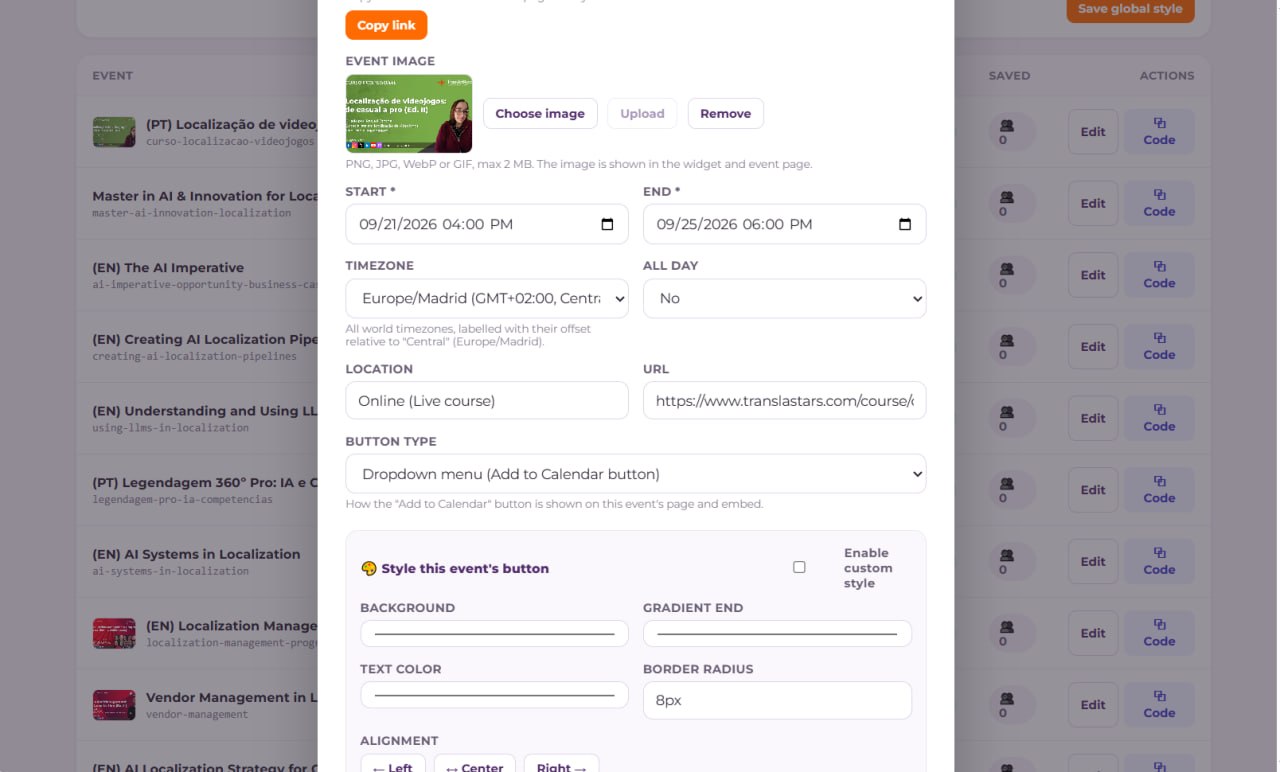
What you get
- One-click Google, Apple, Outlook and Yahoo buttons: dropdown or static, via deep links or a generated .ics file.
- Event landing pages: a public page per event with an RSVP form.
- Embeddable widget and a LearnWorlds snippet: paste a few lines of code into any course page.
- Subscription calendar (webcal): your whole event feed as a single .ics, in RFC 5545 format.
- RSVP with email confirmations and T-1 day reminders via Mailjet (transactional).
- Recurring events, analytics (per-event saves and RSVP counts), and ICS/CSV import.
- Your own branding, no watermark.
- Free, no monthly fee: no limits on clicks or RSVPs, no lock-in.
- Full rebuild guide included: the guide documents the whole architecture so you can rebuild the app yourself with an AI agent.
Built for real production use
Every feature in this guide reflects what actually ships in the product, including the admin panel, the RSVP plus Mailjet flow and the LearnWorlds-specific fixes. No prototype features, no placeholder copy.
Get the TranslaStars Add to Calendar
The Add to Calendar skill is available free in the Skills Store. It includes the full snippet, the admin panel, a reference API implementation and the complete rebuildable guide.